部署前端项目到服务器并使用 HTTP3和QUIC
.dockerignore
# Include any files or directories that you don't want to be copied to your
# container here (e.g., local build artifacts, temporary files, etc.).
#
# For more help, visit the .dockerignore file reference guide at
# https://docs.docker.com/go/build-context-dockerignore/

**/.classpath
**/.dockerignore
**/.env
**/.git
**/.gitignore
**/.project
**/.settings
**/.toolstarget
**/.vs
**/.next
**/*.*proj.user
**/*.dbmdl
**/*.jfm
**/charts
**/docker-compose*
**/compose.y*ml
**/Dockerfile*
**/node_modules
**/npm-debug.log
**/obj
**/secrets.dev.yaml
**/values.dev.yaml
**/build
LICENSE
README.md
Dockerfile
# 启用BuildKit语法
# syntax=docker/dockerfile:1

# 多平台构建参数声明
ARG TARGETPLATFORM
ARG BUILDPLATFORM
ARG NODE_VERSION=node:22-alpine AS builder

# 构建阶段
FROM --platform=$BUILDPLATFORM $NODE_VERSION AS builder
ARG PACK_VERSION=latest
WORKDIR /src
RUN npm config set registry https://registry.npmjs.org
RUN --mount=type=cache,target=/root/.npm npm install -g pnpm
COPY package.json .
RUN --mount=type=cache,target=/root/.local/share/pnpm/store pnpm i
COPY . .
RUN pnpm build
RUN ls -l

# 生产镜像阶段
FROM ccr.ccs.tencentyun.com/sumery/nginx-http3:latest AS final

COPY --from=builder /src/build /etc/nginx/html
COPY nginx.conf /etc/nginx/conf.d/nginx.conf

ARG HTTP_PORT=80
ARG HTTPS_PORT=443

EXPOSE $HTTP_PORT $HTTPS_PORT/tcp $HTTPS_PORT/udp
compose.yml:
services:
  nginx:
    image: ccr.ccs.tencentyun.com/sumery/blog # 这里需要替换成你的镜像名
    container_name: nginx
    build:
      context: .
      dockerfile: .
      target: final
    ports:
      - '80:80'
      - '443:443'
      - '443:443/udp'
    # 环境变量
    environment:
      DOMAIN: example.com # 这里需要替换成你的域名
    restart: on-failure:4 # 重启策略,最多重启n次
    privileged: true # 允许容器使用宿主机的网络和文件系统
    volumes:
      - /home/docker/nginx/conf:/etc/nginx/conf.d
      - /home/docker/nginx/ssl:/etc/nginx/ssl:ro
nginx.conf:
server {
    listen 80;
    server_name ${DOMAIN};
    return 301 https://${DOMAIN};
}

server {
    server_name ${DOMAIN} www.${DOMAIN};

    # HTTP/3 with QUIC
    listen 443 quic reuseport;

    # HTTP/2 and HTTP/1.1
    listen 443 ssl;
    http2 on;

    # Security headers
    add_header Strict-Transport-Security "max-age=63072000; includeSubdomains; preload";
    add_header X-XSS-Protection "1; mode=block" always;
    add_header X-Frame-Options SAMEORIGIN always;
    add_header X-Content-Type-Options nosniff;
    add_header Alt-Svc 'h3=":443"; ma=86400, h3-29=":443"; ma=86400';

    # SSL/TLS configuration
    ssl_protocols TLSv1.3 TLSv1.2;
    ssl_prefer_server_ciphers on;
    ssl_ecdh_curve X25519:P-256:P-384;
    ssl_early_data off;
    ssl_stapling on;
    ssl_stapling_verify on;

    # SSL certificates
    ssl_certificate     /etc/nginx/ssl/nginx.crt;
    ssl_certificate_key /etc/nginx/ssl/nginx.key;

    location / {
        root   /etc/nginx/html;
        index  index.html index.htm;
    }
}
验证
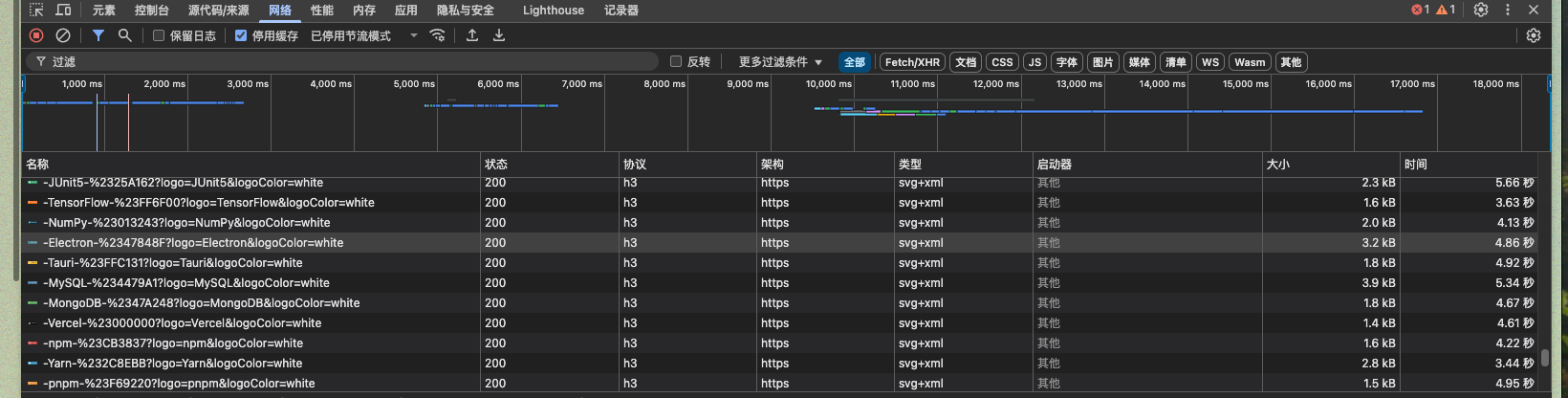
测试时, 关闭代理软件, 大多数代理都不支持 QUIC 和 HTTP/3
- 访问前端路由, 查询nginx 日志:

- curl:
curl --http3-only -kI https://www.example.com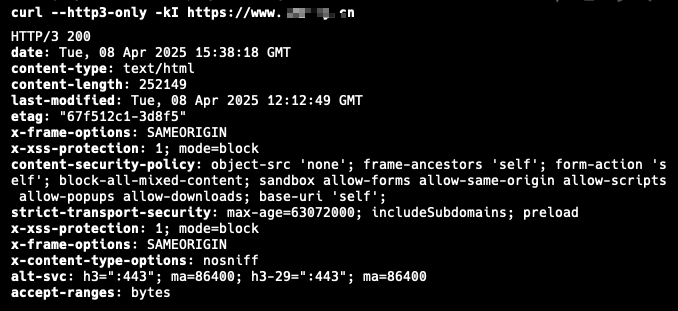
- 浏览器